
Kits and Bundles: Managing Them on Amazon, Walmart, Shopify
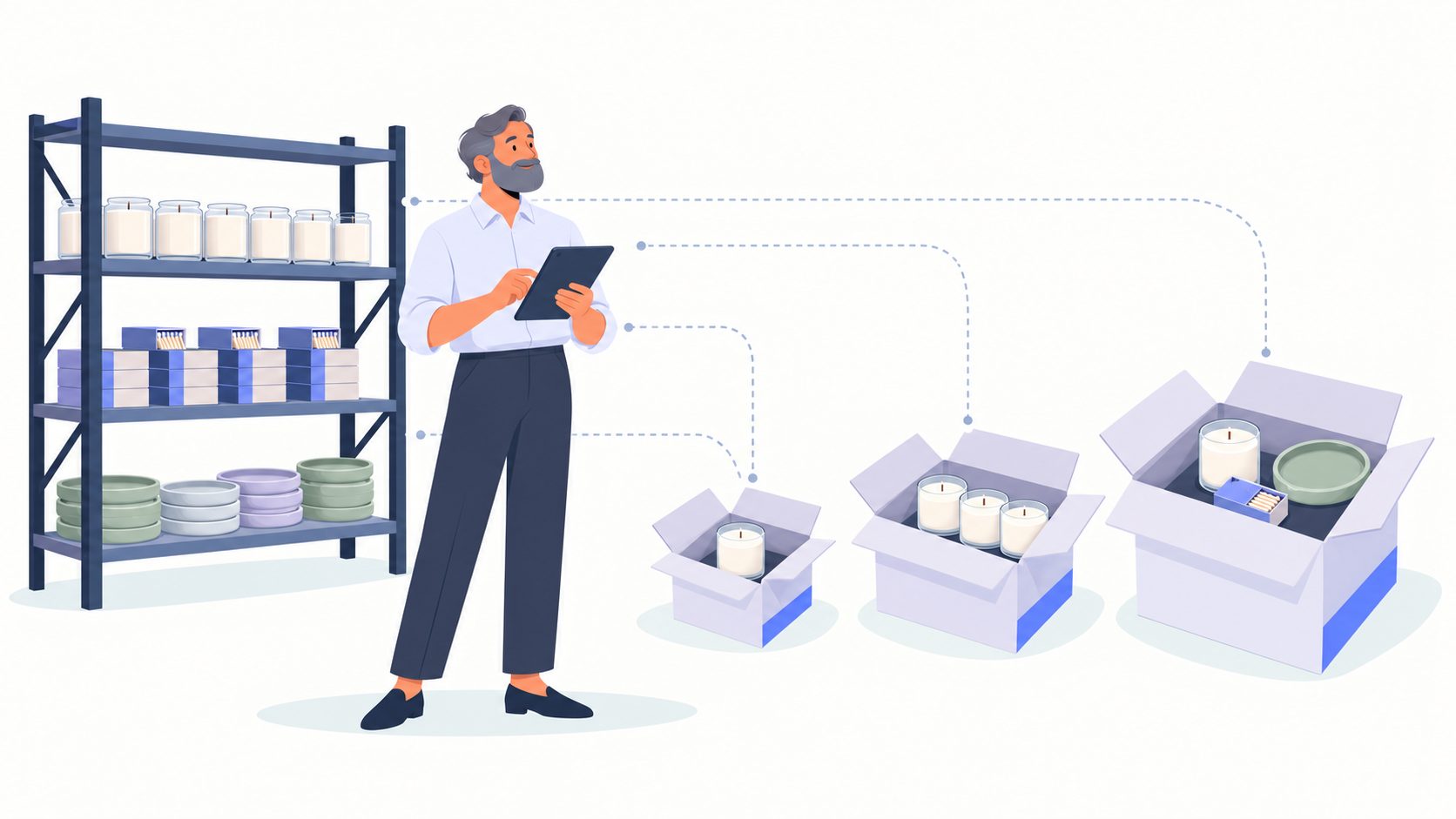
A home fragrance brand sells one candle three ways: on its own, as a 3-pack, and as a gift set with a candle, a box of matches, and a ceramic tray. The warehouse holds 36 candles and 10 trays.
Walmart lists 36 of the 3-pack because someone mapped it as a single candle. Amazon still shows 20 gift sets, a count typed in by hand last month. A weekend promotion sells 14 gift sets on Amazon, and four of those orders can't ship because there are only 10 trays.
This is the everyday risk of selling kits and bundles on more than one marketplace. The fix is simple to state: treat every kit, bundle, and multipack as a recipe of component SKUs, calculate what you can actually build from the scarcest component, and send that number to each channel automatically.
What Does Managing Kits and Bundles Actually Mean in Multichannel Ecommerce?
Managing kits and bundles means keeping one source of truth for the component SKUs inside every multi-item offer, so each channel only sells what you can physically build and ship. Three offer types look alike to a shopper but behave differently in your warehouse:
Kits are assembled ahead of time and sit on the shelf with their own SKU, like a pre-boxed gift set.
Bundles are virtual. They're picked from loose components when an order arrives.
Multipacks are several units of the same item, like a 3-pack or a case of 24.
The risk climbs when:
One component appears in several offers, so a single SKU feeds four or five listings.
Listing quantities for bundles are entered by hand on each marketplace.
Kits are assembled in batches but the assembly isn't recorded in your system.
Some channels ship from FBA or WFS while others ship from your own warehouse.
The Real Cost of Kits and Bundles Going Out of Sync (Beyond One Canceled Order)
Out-of-sync bundle inventory costs more than the canceled order. According to IHL Group's 2026 Inventory Distortion Study, out-of-stocks and overstocks cost retailers about $1.7 trillion a year, or 6.2% of global retail sales. Kits and bundles add to both sides of that problem.
Cancellations land on your account
A bundle that sells and can't ship becomes a seller-canceled order. On Amazon and Walmart, those cancellations count against your account health, and the marketplace doesn't care that only one component ran out.
Components get stranded
The reverse also happens. A listing stuck at 0 leaves 36 candles on the shelf, which is cash tied up in stock you could have sold.
Costs and margins drift
When a kit is assembled, its cost should come from the components that went into it. If assembly happens on a packing table and never in your system, your reported margin on kits and bundles is a guess, and so is your reorder math.
How to Manage Kits and Bundles Across Amazon, Walmart, and Shopify
These seven steps work in any system. Steps 4 and 5 show how they're set up in Goflow.
1. Classify every multi-item offer
Sort kits and bundles from multipacks before you build anything. Pre-assembled and stored is a kit. Picked from loose stock at order time is a bundle. Several units of one SKU is a multipack. Each type needs a different setup, so list all of them first.
2. Build each bundle as a recipe of components
Define kits and bundles in one master catalog as a list of component SKUs and quantities, for example 1 candle, 1 box of matches, and 1 tray. Don't create a standalone SKU with its own made-up stock count. The recipe is what lets your system calculate availability instead of relying on someone to remember it.
3. Calculate availability from the scarcest component
For each component, divide on-hand stock by the quantity the bundle needs, round down, and take the lowest result. With 36 candles, 50 matchboxes, and 10 trays, you can build 10 gift sets and 12 three-packs. Remember they share a pool: selling 10 gift sets drops the 3-pack count from 12 to 8.
4. Map multipacks to units of measure, not new products
A 2-pack shouldn't be a separate product with separate stock. In Goflow, you add units of measure to the base product, for example a Pack with a quantity of 2 and a Case with a quantity of 24, and map each marketplace listing to the right one. Orders from that listing arrive in the mapped unit, so every pack size draws from the same base inventory.
5. Set safety levels and caps per channel
Bundles sell out faster than single items because they depend on several SKUs at once, so give them a buffer. In Goflow's inventory allocation rules, a Safety Level of 3 on the gift-set listing sends 0 to the channel once only 3 sets can be built, and a Maximum of 8 caps what Amazon displays during a promotion. Goflow sends partial updates to most marketplaces every 15 minutes, so kits and bundles stay current through a sale.
6. Record kit assembly before you sell kits
If you pre-build 20 gift sets for a holiday push, record the assembly so 20 of each component move from loose stock into kit stock. Skip that step and both the kits and the loose components show as available, which is how one tray gets sold twice.
7. Check each marketplace's bundle rules before you list
Each channel handles bundles differently. Since October 14, 2024, Amazon generally requires every item in a bundle to come from the same brand or manufacturer unless you have the brand owner's authorization. Walmart's Virtual Packs let eligible sellers offer 2 to 6 units of one item that inherit its inventory, and packs discounted at least 5% that ship through WFS get fee savings. On Shopify, the free Bundles app handles fixed bundles and multipacks.
How Platforms Like Goflow Help Manage Kits and Bundles
Goflow's inventory management software treats kits and bundles as part of the same catalog as your single items, so every channel draws from one set of numbers. In practice that covers three product types:
Kits have their own inventory and cost. Assembling or disassembling one moves stock between the kit and its components, with FIFO costs carried over from the original units.
Groups are virtual bundles with no stock of their own. A group is only available when enough child products sit in the same inventory source to fulfill it.
Units of measure handle multipacks and cases on a single product.
Those numbers flow to Amazon, Walmart, Shopify, and the rest of Goflow's 250+ channel integrations through the same allocation rules you use for single items. Bathroom fixtures seller Fine Fixtures now sets up listings once in Goflow and exports them to all eight of its channels, including Home Depot, Wayfair, and Target, and the team was running on Goflow in less than a week. Pair it with a peak season inventory plan so components for kits and bundles are ordered together.
Kits and Bundles Are an Inventory Problem, Not a Listing Problem
Most bundle errors get blamed on a marketplace listing, but the listing only shows the number it was sent. The real fix sits upstream: one recipe per bundle, availability calculated from the scarcest component, assembly recorded when it happens, and a buffer on the offers that sell out first. Get those four things right and adding a new gift set or pack size stops being a risk to your account health.
If your kits and bundles still depend on spreadsheets and manual counts, book a Goflow demo to see how they stay in sync across every channel you sell on.
Frequently Asked Questions About Kits and Bundles
Q: What is the difference between a kit, a bundle, and a multipack?A kit is assembled ahead of time and stored with its own SKU and stock. A bundle is virtual and picked from loose components when an order arrives. A multipack is several units of the same item, like a 3-pack or a case. Q: How do you calculate bundle inventory across multiple channels?Divide each component's on-hand stock by the quantity the bundle needs, round down, and use the lowest result. Because components are shared, each sale lowers the count for every offer using those SKUs, so the number must update automatically. Q: How do multichannel sellers keep inventory in sync across marketplaces for kits and bundles?They define kits and bundles by their components in one catalog and let the inventory system push calculated quantities to every marketplace. Safety levels on fast sellers add a buffer between updates. Q: Can you sell bundles with items from different brands on Amazon?Since October 14, 2024, Amazon generally requires all items in a bundle to come from the same brand or manufacturer. Bundles that mix brands need authorization from the brand owner, with limited exceptions such as gift baskets. |